FACEIT Banner Studio
FACEIT banner for OBS.
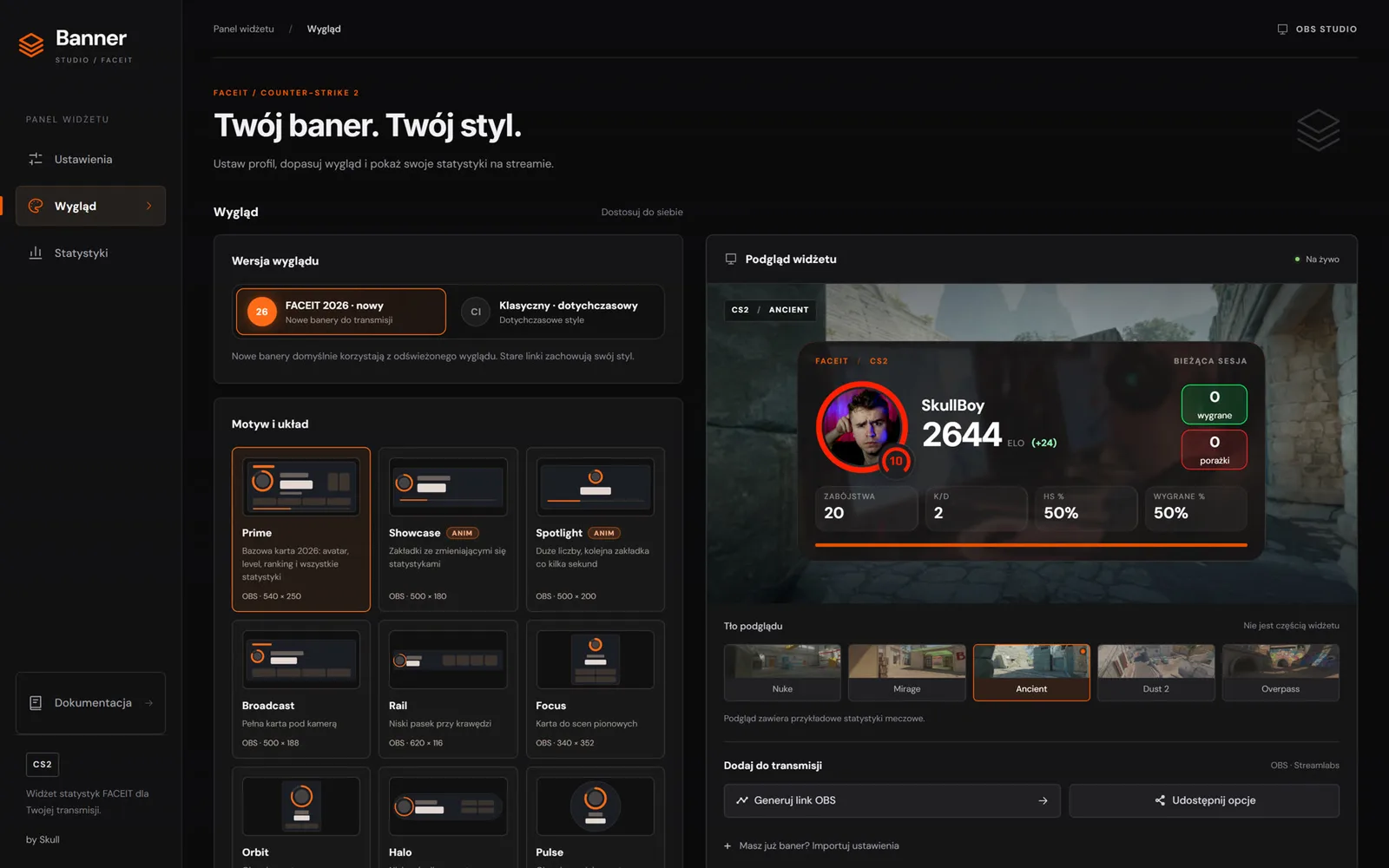
FACEIT Banner Studio shows your level, ELO, ELO change, wins, losses and recent CS2 match stats on stream.
What the FACEIT banner shows
- Level, ELO and the ELO change in the current session.
- Wins, losses and four chosen stats from recent CS2 matches.
- Region and country ranking, the Challenger icon and the verified badge.
- An ELO progress bar to the next level.
Solo layouts and VERSUS mode
The FACEIT 2026 look has 18 solo layouts, from the classic Prime to the animated Reel, Ticker and Marquee. VERSUS mode puts you against a rival in 13 layouts, including Duel, Tug and Scoreboard.
Banner size: AUTO, Recommended, Manual
AUTO fits the banner to the OBS source window. Recommended gives the design size, and Manual lets you set your own values within each layout’s limits.
How to add the FACEIT banner to OBS
- Open the generator and enter your FACEIT nickname.
- Pick a layout, an accent colour and your stats.
- Copy the link and add a Browser source in OBS with that URL.
Frequently asked questions
Is the FACEIT banner free?
Yes. The generator is free and needs no account or plugins.
Do I have to log in with FACEIT?
No. Just enter your nickname. The widget reads public player data.
What happens after an OBS restart?
The session is stored in OBS browser data and comes back for 2 hours after a restart. After that it counts from zero.
How do I add a banner to OBS?
Add a Browser source, paste the link from the generator into the URL field and set the width and height shown by the generator. No plugins are needed.
See also